How Gigamon Is Turning Partner Intelligence Into Seller Action with Crossbeam MCP
- Partner-sourced account prioritization
- AI-drafted partner outreach
- Tech stack-aware messaging
- Contact-data guardrails
- Crossbeam MCP through Glean



Partner overlap data can reveal valuable paths into priority accounts through reseller and technology partners. The challenge is making that intelligence easy for resellers to act on. Reports may identify where existing relationships exist, but sellers still need to determine which accounts to prioritize, identify the right partner relationship, and decide how to engage.
That was an opportunity John Zustra saw when he joined the Gigamon technology alliances team about nine months ago. He had used Crossbeam at previous companies and knew the potential of partner intelligence to support pipeline generation, so making that intelligence more actionable for sellers became one of his priorities
The data itself still wasn't the hard part. Once partner and account information is flowing into Crossbeam, sellers can find what they need. But acting on that intelligence still required several steps: reviewing a Salesforce report, deciding which accounts to prioritize, identifying who owned the partner relationship, and then determining how best to engage.
"If I'm one of our salespeople, how do I then take that data and action it?" John said. "That's really what I was trying to solve: how can I use the MCP server to make this data actionable and make it easy for our sellers to reach out to a partner."
He also wanted the ask itself to be different. Rather than starting with a broad account mapping request, John wanted Gigamon sellers to approach partners with a priority account already identified and a specific reason to engage.
How they built it: connecting Crossbeam MCP to Glean
Gigamon uses Glean as an internal AI search and agent platform. John started with Crossbeam's published MCP skills, then adapted the prompt to fit how he wanted the sales team to work.
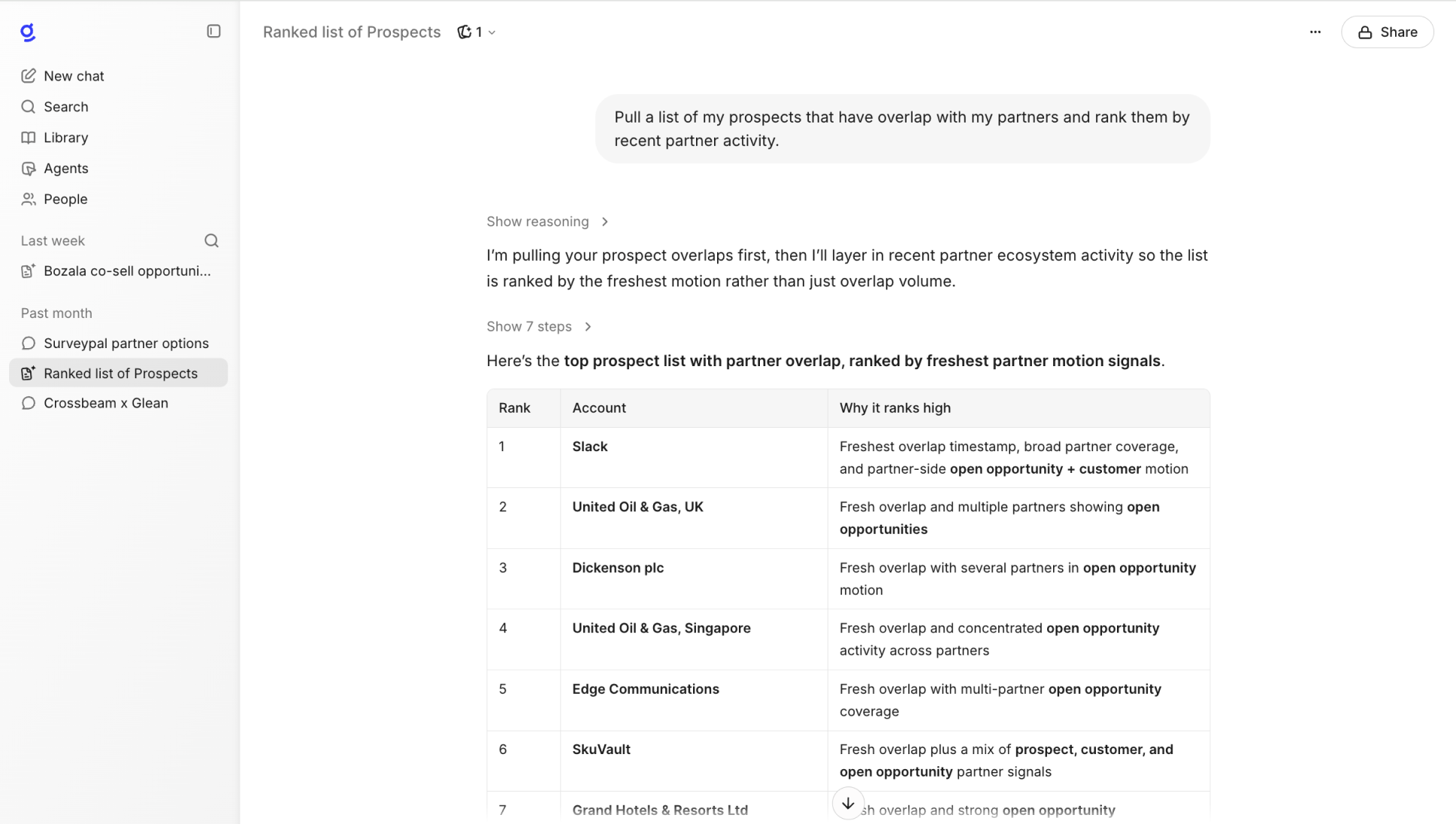
01 Start from one prompt
The core prompt asks the model to act as a specific seller and return that seller's top five prospect accounts where a reseller relationship could be used to broker an introduction, along with a draft email to that partner. Behind the prompt, the skill uses Crossbeam data surfaced through the MCP server to rank the accounts based on factors including the strength of the partner relationship and opportunity data.
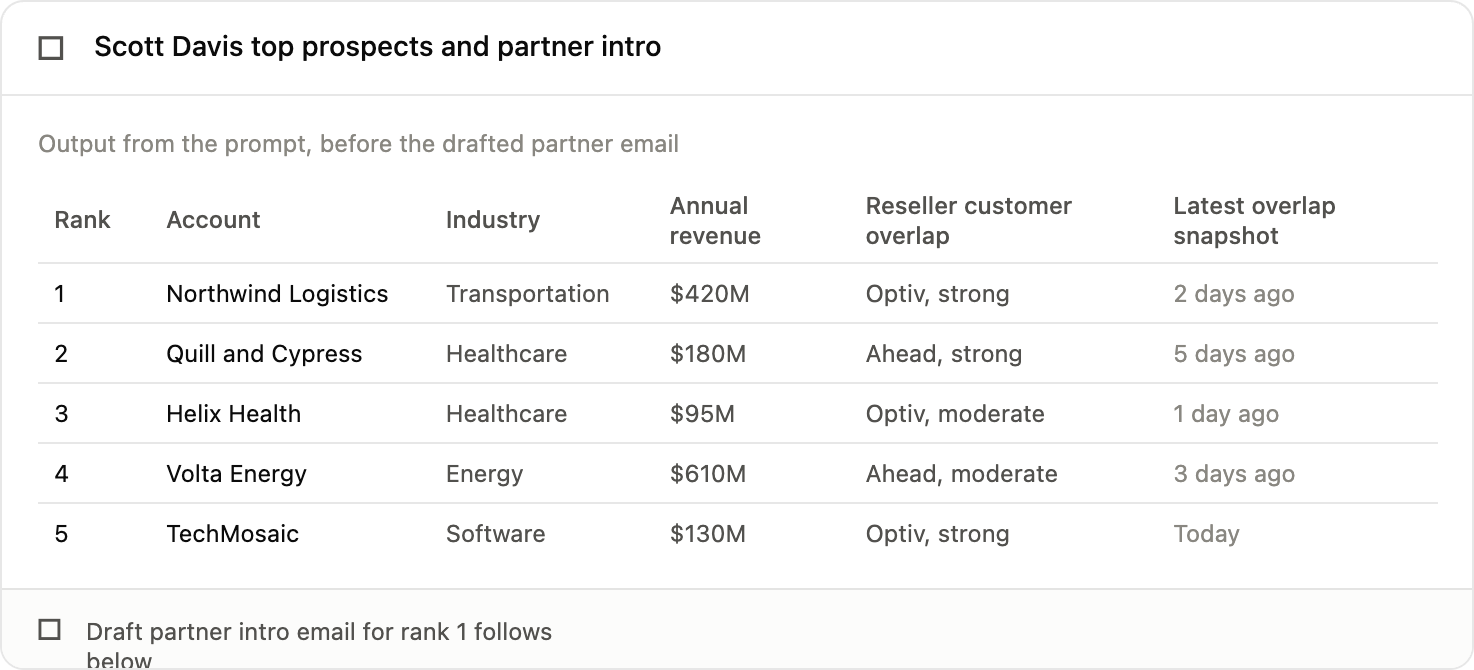
Before the email draft, the seller sees a ranked table showing account name, industry, annual revenue, the strength of the reseller's customer relationship, and the recency of overlap data. This gives the seller the context for why each account was prioritized.
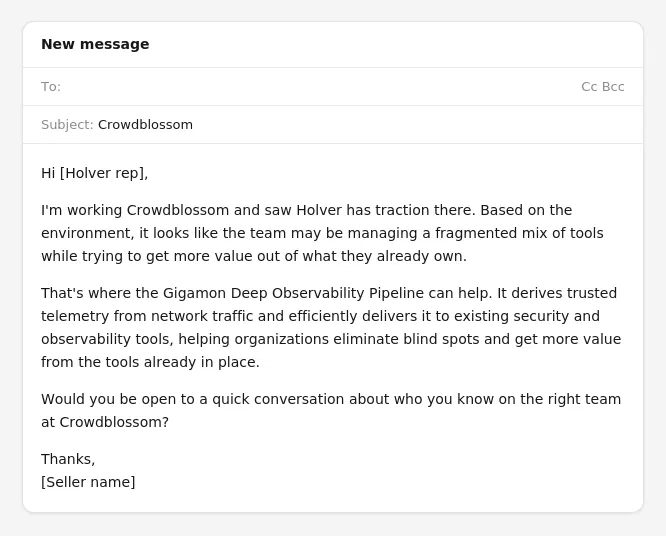
02 Draft an email that shows the seller is prepared
The generated email incorporates technologies the account already has in place, highlights relevant challenges organizations with similar infrastructure face, and asks the partner directly whether they would be open to facilitating an introduction. The result gives the seller a more informed, account-specific starting point for partner outreach.
“Our reps aren't just getting an account name. They're getting the context to show they've done the homework: the complementary technologies the prospect already uses and a value proposition tailored to that environment. That's where the feedback has been really positive so far," John said.
John sees this as the differentiator: instead of starting with a broad account-mapping request, the seller approaches the partner with a priority account, relevant context, and a point of view already developed.
03 Leave contact-level data out on purpose
John deliberately kept partner contact-level data out of what the skill surfaces to sellers. The goal was for sellers to rely on the partner's introduction to an account, rather than using Crossbeam data to reach out to customer contacts directly. "I want them to rely on the partner's introduction into the customer, instead of trying to use that data to then give to their BDR or reach out to those contacts themselves," he said.
04 Pilot before rolling out broadly
John showed an early version to his sales team, and the reaction was positive. Moving from a showcase to live use identified additional opportunities to refine the prompt before a wider rollout. He has continued to iterate on the workflow, converting the skill into an agent to make it simpler for the team to execute, and improving the consistency and relevance of the output with each adjustment.
"I want our sales team to be able to leverage partners more directly, " John said. "Crossbeam can help sellers identify the right partner relationship and engage on their own, while keeping the channel account manager connected."
A final thought
Making Ecosystem Intelligence more actionable for sellers requires more than reporting. In this case, Crossbeam MCP gives sellers a specific next action: a prioritized account and a partner message they can use as a starting point, rather than another dashboard to interpret.
The Gigamon approach also demonstrates the importance of defining guardrails up front. Keeping customer contact data out of the workflow helps ensure sellers use the intelligence to strengthen partner-led engagement rather than bypass the partner relationship.
See what your own partner data and AI could unlock. Start mapping partner relationships and surfacing warm introductions with Crossbeam.
Frequently asked questions
What is Crossbeam's MCP server?
A Model Context Protocol (MCP) is an open standard that enables AI applications to connect with external data sources and tools. Crossbeam's MCP server applies MCP to partner and account overlap data, enabling sellers to query that intelligence using natural language instead of building a report by hand.
How does Gigamon's team use Glean with Crossbeam?
Gigamon uses Glean as an internal AI search and agent platform. The technology alliances team developed a prompt using Crossbeam’s MCP server within Glean so sellers can request a ranked account list and a draft partner email in one step.
Why did Gigamon exclude contact-level data from the workflow?
The team wanted sellers to work through the partner relationship rather than around it. Excluding contact-level data was a deliberate design choice so sellers would rely on partner introductions rather than use the workflow to contact prospects directly.
Is this workflow fully rolled out at Gigamon?
Not yet. The team's early pilot drew a positive response and identified opportunities to further refine the prompt based on live use. The team is continuing to improve the consistency and relevance of the output before a broader rollout.
Explore features built for

Trade in your spreadsheets and surface the most promising opportunities in your ecosystem with Crossbeam’s pipeline matching engine.

Keep pace with your partner pipeline. Monitor trends with partners and action ecosystem opportunities with a birds eye view into your revenue engine.

Stay up to date on accounts and keep things moving by sending notifications where work happens. Makes moves faster with real-time notifications in Slack and Email.

Connect your partner data anywhere. Get your ecosystem engine going with integrations that fuel your go-to-market teams and business outcomes.