How Fullstory Automated Its Partner Expansion Play in Three Weeks
- Automated expansion account sourcing
- Buyer discovery and contact verification
- AI-drafted, personalized outreach at scale
- Cross-reference expansion candidates against a Salesforce list of account



Partner data is only useful when the people closing deals can act on it.
At Fullstory, the intelligent digital experience company, the customers most likely to expand were sitting in the partner team's account maps, not in the sellers' daily view. Elin Sahlsten Wetton, Strategic Programs, partnered closely with Fullstory's Alliances Director, Forest Donovan, to map the co-selling motion. Together they set out to put partner-qualified expansion accounts directly into the workflows Fullstory's account executives already use — a practical step toward Ecosystem-Led Growth (ELG).
To build it, Elin teamed up with Mat Friedman, Senior RevOps Analyst. Together, they created one automated play that:
- sources expansion accounts from partner overlap data,
- finds the right buyers,
- drafts personalized outreach,
- and routes it into the seller's sequence.
Working from Elin's brief, Mat took the play from idea to live, giving the partnership motion a repeatable blueprint that the team plans to run across its ecosystem.
The problem: partner data sat only with the partner team
Before this play, partner context lived a step removed from the people who needed it.
Account executives talked to customers about new products and use cases, but they had little visibility into which partner technologies those customers already owned, because that information was not in their CRM. Spotting expansion fit fell to the partner team.
As Elin describes it, her team ran classic account mapping with each partner's counterpart, decided where the overlap looked promising, then brought specific accounts to the relevant seller to set up a meeting, but the handoff was slow.
Two partner managers can only know so much about any account, so the seller still had to weigh in on whether the opportunity was real, and the exchange went back and forth from there.
“When partner data lives with the partner team instead of the seller, deals lose momentum. In the era of AI, speed is everything. Automatically bridging that gap so account executives can act in the moment isn't just nice to have—it's essential.” — Elin Sahlsten, Strategic Programs
The cost was not only time. Expansion depended on a manual relay between teams, so a promising overlap could stall simply because the data never reached the seller in a form they could use.
How they built it: from overlap data to automated outreach
The play started with a connection someone on Elin's team had already spotted: an integration between Crossbeam and Clay, the workflow tool that became the engine for the motion. Mat built it in five steps as a repeatable co-selling motion.
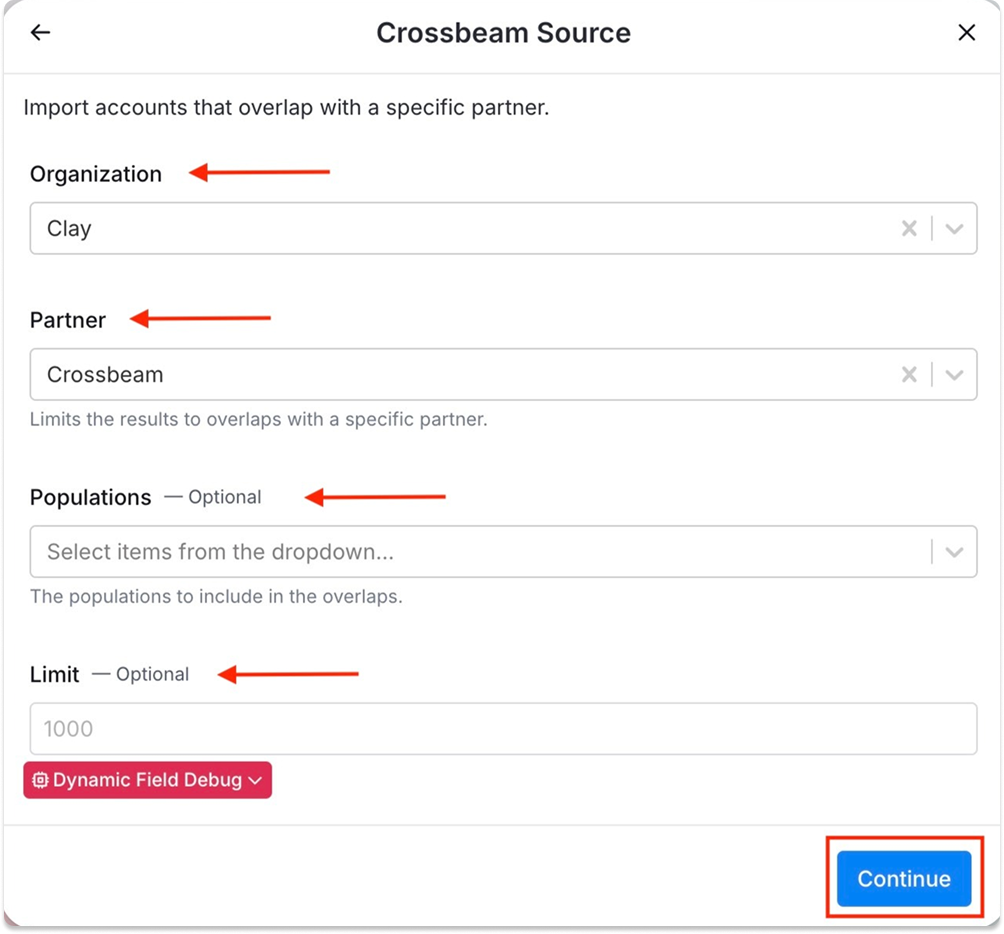
01 Source the overlap with the Crossbeam and Clay integration
Using the integration, Mat pulled every Fullstory customer who also used two of its data warehouse partners. Building those lists in Clay was close to instant. Exporting from Crossbeam, exporting again from Salesforce, then running a VLOOKUP would have taken at least ten times as long.
02 Filter out accounts that already own the product
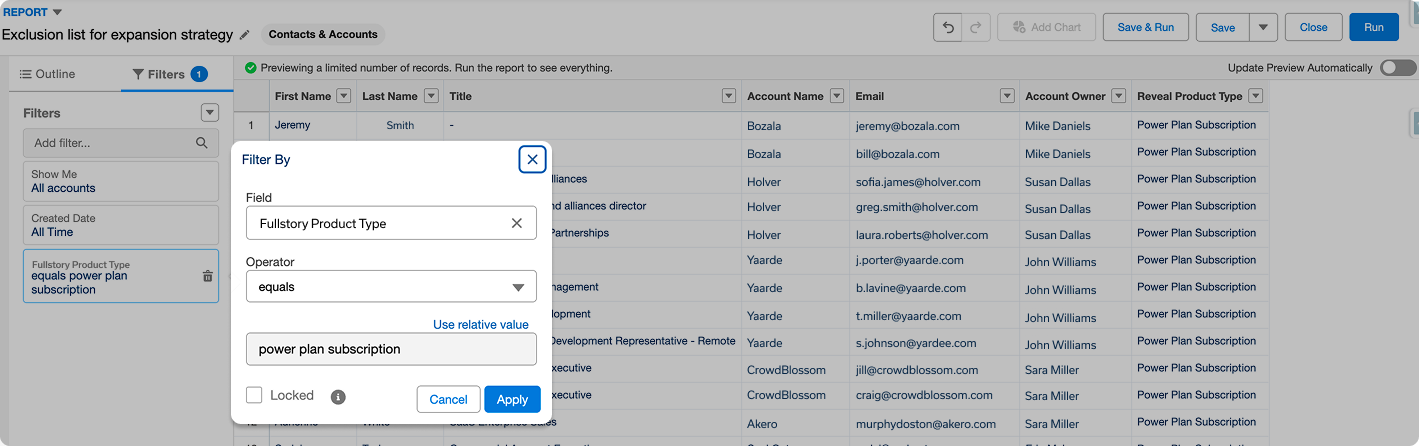
He then imported a second Salesforce list of customers that already had the product the team wanted to expand into, and used it as an exclusion list. Cross-referencing the two left a clean pool of accounts that fit the motion and had room to buy.
03 Find the right buyers and verify them in Salesforce
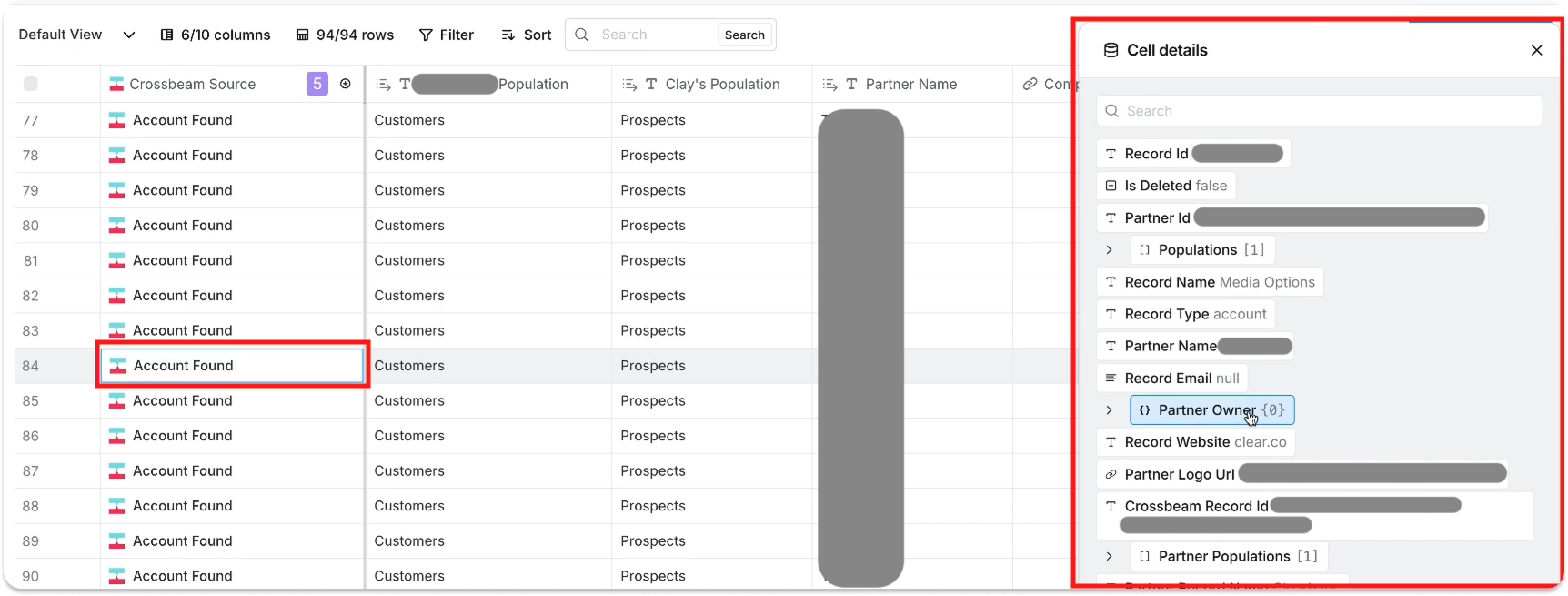
Clay sourced contacts with the job titles that match the ideal buyer for the product and pulled their work emails. That list went into Salesforce, where Fullstory's account executives verify the right people at accounts they own. Sellers stay in this step because they know which titles respond to the pitch.
04 Draft personalized outreach with AI
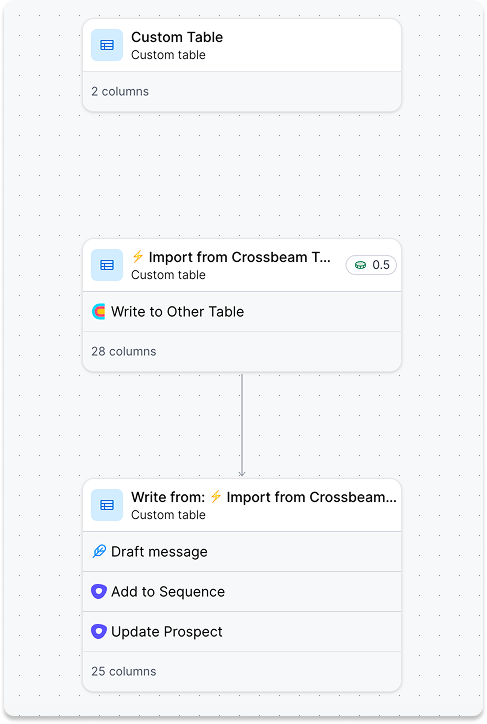
Once a seller picked the contacts to pursue, another Clay workflow used Claude to write a personalized email for each one. Those contacts were added to an Outreach sequence, and the generated copy populated the steps automatically.
05 Keep a human in the loop before anything sends
The automation does most of the work, but nothing goes out untouched. The seller reviews each sequence, makes sure the copy reads as if a person wrote it, and only then sends. The review takes a couple of minutes per contact.
“It finds the accounts, it finds the people, it writes the emails, and it makes it so that the account executives have to do very little to go to net-new people at the accounts they're already working with.” — Mat Friedman, Senior RevOps Analyst
Mat built the design around a rule from one of Fullstory's sales managers: the automation should get a seller about 80% of the way there, with two human touchpoints kept in place so every message holds a high bar.
What happened: ecosystem data in the hands of sellers
For the first time, AEs can get partner-qualified expansion accounts and verified contacts inside Salesforce and Outreach, with no wait on a manual handoff. The seller can scan the list, confirm fit, review the outreach, and move, all inside the tools they already use.
The build also reshaped how the partnership team works. Rather than treating each partner as a one-off, the team now groups partners into segments and runs the same play across each, a model Fullstory calls “re-runnable plays”.
Warehouse partners share one playbook with a defined ideal customer profile (ICP) and joint value proposition, and other partner segments run their own version of the motion. The work took Mat about three weeks alongside other projects, and would have been closer to a week and a half of focused effort.
"If we'd just come to RevOps and said we want to use AI in partnerships and use the Crossbeam MCP, that wouldn't have been as impactful. The reason it worked is we did the strategy work up front. We knew what we wanted to achieve with whom and why."
— Elin Sahlsten, Strategic Programs
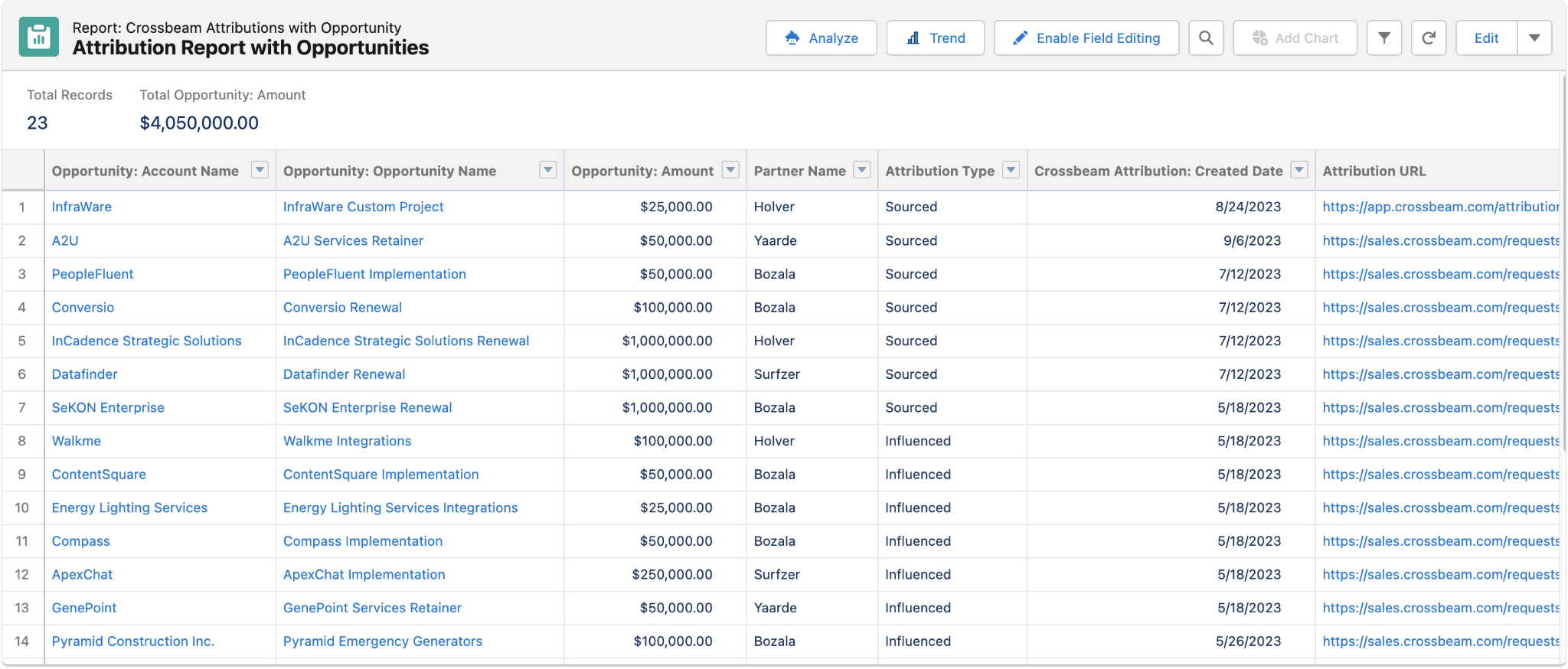
To prove the value, Mat wired the play into a Salesforce campaign so the team can track the generated pipeline from the start. That measurement is what will turn an early launch into a documented result over the coming months.
A final thought
It is tempting to treat the automation as the hard part, but the teams that get the most from it do the unglamorous work first. Before anyone touched a workflow, the partner team had settled the basics: who they were targeting, which partner segment mattered, and why the joint value proposition would land.
That clarity is why Elin could hand Mat a tight brief, and why the build came together fast. The technology was the last mile, not the strategy.
If you are deciding where to begin, choose one motion and prove it out before you scale. Pick a single partner segment, define the ideal customer and the joint value, and build around a goal you can measure. Once you have a blueprint that works, you can run it across the rest of your ecosystem and keep refining it.
Using AI for its own sake rarely moves anything; using it to remove a real step from a motion you already understand is what makes the difference.
Discover how to use Clay and Crossbeam together. Connect with us to see how partner overlap data can power your own expansion play.
Frequently asked questions
What is an Ecosystem-Led Growth expansion play?
An Ecosystem-Led Growth expansion play uses partner overlap data to find existing customers who are strong candidates to buy more, based on the other technologies they already own. Instead of guessing which accounts to upsell, teams use shared partner data to pinpoint accounts where a specific product is a natural fit, then route those accounts to the right seller.
How does partner overlap data help sellers expand accounts?
Partner overlap shows which of your customers also use a given partner's product. When a customer owns a complementary technology, that signals a strong reason to expand them into a related product of your own, surfacing this inside the CRM lets account executives act on partner context without a separate handoff from the partner team.
Why keep a human in the loop in an automated outreach play?
Automation can source accounts, find contacts, and draft outreach, but it still makes mistakes on contact selection and copy. Keeping a seller in the loop to verify the right buyers and review each message protects the buyer experience and the company's reputation. A common guideline is to let automation handle roughly 80 percent of the work and reserve the final review for a person.
How long does it take to build a partner expansion play like this?
For this team, the build ran about three weeks alongside other projects, and would have taken closer to a week and a half with focused effort. The speed came from reusing an existing outbound process and only swapping in a new data source, rather than designing the motion from scratch.
Explore features built for

Trade in your spreadsheets and surface the most promising opportunities in your ecosystem with Crossbeam’s pipeline matching engine.

Keep pace with your partner pipeline. Monitor trends with partners and action ecosystem opportunities with a birds eye view into your revenue engine.

Stay up to date on accounts and keep things moving by sending notifications where work happens. Makes moves faster with real-time notifications in Slack and Email.

Connect your partner data anywhere. Get your ecosystem engine going with integrations that fuel your go-to-market teams and business outcomes.